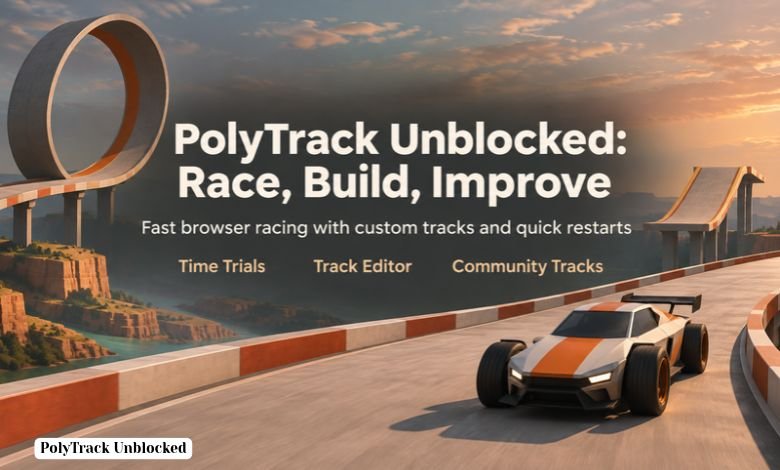
PolyTrack unblocked is a browser racing game built around one exciting goal: finish a track faster than you did before. You drive through tight corners, jumps, and loops while trying to make every movement count. A race can be over quickly, but getting a time you are proud of may take many attempts.
The game was created by Kodub and takes inspiration from time trial racing games such as TrackMania. It has a simple look that keeps your attention on the road. You can race on ready-made courses, try tracks created by other players, or build a course of your own. That mix of racing and creating gives you plenty to do after your first few runs.
Where Can You Play PolyTrack?
PolyTrack can be played in a web browser, so you do not need to install a desktop game just to try it. Kodub’s game page and CrazyGames are established places to play. Open a game page, let it load, and choose a track to begin racing.
People often search for PolyTrack unblocked because they want a version that opens on their network. However, “unblocked” is not a promise that a site will work everywhere. Schools, offices, and other shared networks may have different access rules. If a page will not load, check whether the problem is your connection, browser, or network before trying another game page.
Be careful with unfamiliar sites that use the game’s name. A page full of pop-ups or download buttons is a poor choice when you only want to play in your browser. You should not need to install an unrelated extension to start a normal browser session of PolyTrack.
Why Is PolyTrack So Fun to Replay?
The first time you race a track, you are learning where to go. On the next run, you may notice that you turned too late or landed badly after a jump. Then you restart and try one small change. That simple pattern makes it easy to keep playing: every attempt gives you a chance to improve.
PolyTrack is especially satisfying when a difficult section finally feels smooth. You might spend several runs missing the same corner, then find a better way through it. Even a tiny improvement matters when you are racing against the clock. The game rewards patience, practice, and a willingness to try a different approach.
The quick restart also helps. A mistake does not mean waiting through a long menu before you can drive again. You can return to the track, test an idea, and see whether it improves your time.
PolyTrack Controls You Need to Know
On a keyboard, use WASD or the arrow keys to drive. Press R or Enter when you want to restart the track. These are the main controls you need for your first race.
Try to make gentle steering changes rather than holding a direction for too long. A small correction can keep the car on a good path, while a sudden turn may send it wide. When you approach a jump, think about where you will land. Getting into the air is only useful if you can continue driving cleanly afterward.
If you play on a phone or tablet, follow the controls shown on your screen. Touch controls can take time to get used to, especially on tracks with narrow turns. Give yourself a few practice runs before judging your speed.
Start With the Official Tracks
The ready-made tracks are a good starting point because you can focus on learning to drive. PolyTrack includes courses with summer, winter, and desert scenery. Pick one and aim to finish it before worrying about a record time.
On your first run, watch for sharp bends and sudden changes in height. On your second run, choose one part you want to handle better. Perhaps you can enter a turn more carefully or land closer to the center of the track. Improving one section at a time is easier than trying to perfect the whole course at once.
Once you know a track well, it becomes more interesting. You begin to remember where to steer before a corner appears and how much speed you can carry into the next section. That familiarity is often what turns a completed race into a fast one.
Simple Tips to Improve Your Time
Learn the route before chasing speed. If you keep falling off or missing a turn, driving faster will probably make the problem worse. Complete a few steady runs, then look for places where you can safely gain time.
Pay attention to how you leave each corner. Entering a turn at full speed may feel fast, but going too wide can slow down the rest of your run. Sometimes a calmer approach lets you drive out of the corner with more control and better speed.
Jumps need practice too. Try to approach them in a way that gives you a useful landing, not just a dramatic launch. If you land sideways, you may lose the time you gained. When something goes wrong, restart and change one part of your approach. This helps you work out which adjustment actually made a difference.
PolyTrack also offers ghost racing on supported tracks. A ghost replay lets you see another recorded run while you drive. Watch where it pulls ahead of you. That point may reveal a better path through a corner or a cleaner landing after a jump.
Create Your Own Track
The built-in track editor lets you turn a racing idea into a course you can drive. You can place track pieces, add turns and jumps, and test the result. It is tempting to build a huge course right away, but a short track is easier to finish and improve.
Start with a simple route that has a clear beginning and end. Add one feature, such as a jump or a tricky corner, then test it. If that section feels awkward, move or rotate the pieces until the route drives the way you intended. Keep testing as you build so small problems do not pile up.
In the editor, the left mouse button places pieces, R rotates a selected piece, and Shift + mouse wheel changes its height. You can export a finished track and share it with other players. Creating a course also changes how you think about racing: you start to notice why some turns are enjoyable and why others are difficult to read.
Explore Community Tracks
When the official courses start to feel familiar, community tracks offer new challenges. Some test careful steering, while others make jumps and unusual layouts the main attraction. Trying different designs can also give you ideas for your own editor projects.
Give each new track a few attempts before deciding it is too hard. Your first run is often about finding the route. After that, you can work on finishing cleanly and then improving your time. If a friend shares a track code, you can import the design and see who can complete it faster.
Conclusion
PolyTrack unblocked gives you a quick way to enjoy racing in a browser, but its real appeal is the feeling of getting better. Learn a track, make one small improvement, and try again. When you want something new, explore community courses or use the editor to build a challenge of your own. Whether you play for a few minutes or keep chasing your best time, there is always another run to try.
Frequently Asked Questions
1. Is PolyTrack free to play in a browser?
Yes, you can play a browser version of PolyTrack for free. A separate downloadable version is also available, but it is not required for browser play.
2. Do I need an account to start racing?
You can start playing the browser game without creating an account. Some online features may work differently depending on where you play.
3. How do I restart a race?
Press R or Enter to restart the track. This is useful when you miss a corner or want to try for a better time.
4. Can I make my own PolyTrack levels?
Yes. The game includes a track editor that lets you build, test, and share custom courses.
5. Why does a PolyTrack unblocked site not open?
The site may be restricted by your network, temporarily unavailable, or having trouble loading in your browser. The word “unblocked” in a page title does not guarantee access on every network.

