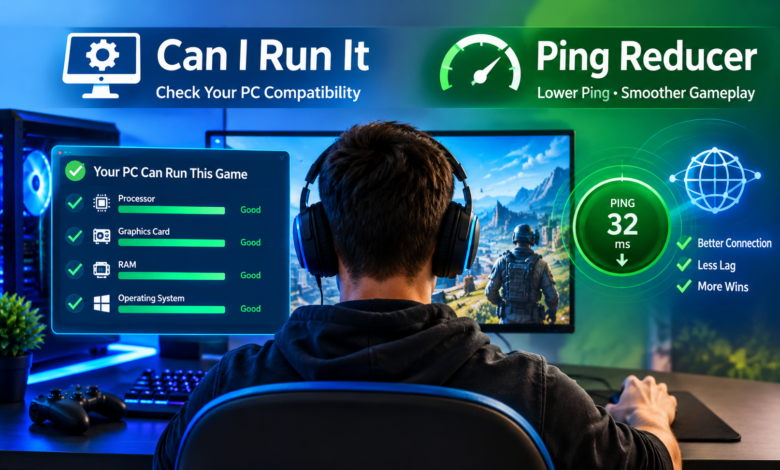
To play modern PC games, you don’t just need to install the latest game, do you? You need the right kit and a good connection. An old component and some network lag can be a real pain. That’s where Can I run it and Ping Reducer come in. One tells you whether your PC can actually run the game, and the other is all about improving your network responsiveness. Knowing what these tools do can go a long way to helping you get your machine ready for a better gaming experience.
Check Game Compatibility Before Installation
It would be a complete waste of time and space to go down the route of downloading a game that’s going to take up a huge amount of disk space and may well not run on your machine at all. Can I Run It enables you to check whether your computer is capable of running a particular game.
The tool can compare the relevant specs such as processor performance, graphics, RAM, and OS compatibility. Gamers can therefore be aware of any potential limitations prior to installing a game or upgrading their PC and can make an informed decision as to whether or not they will be able to play the game in question.
This is a great way of getting the most out of an older desktop PC or a reasonably priced gaming laptop.
Understand Minimum and Recommended Requirements
Each PC game has its own hardware requirements. The minimum requirements are the minimum specs required to run and play the game. The recommended requirements are the specs that are recommended to play the game.
Can I Run It makes the comparison extremely easy, as it lets you know whether or not your system meets the specifications.
But simply getting the minimum requirements doesn’t guarantee you’ll achieve the best frame rates. Other factors such as graphics settings, background processes, and hardware temperatures can all have an effect on performance.
Improve Online Responsiveness With Ping Reducer
If you’re after a bit of fun with games, then hardware compatibility is just one facet of it. Reliable communication between the player’s machine and the game server is also a vital part of the equation when it comes to online multiplayer games.
Ping is the time it takes for the data to get from one point to another. The higher the ping, the slower the reaction time and the more difficult it can be to compete in a game.
A Ping Reducer attempts to improve the responsiveness of the connection by either optimising the network path or by reducing the amount of delay in the connection. The effect of this is to improve the player’s online experience to some degree depending on the software and the state of the network.
Reduce Lag During Competitive Matches
Games are competitive and require good timing and reactions. A high degree of network latency will see even the best gaming PC come to a very unsatisfactory halt.
Ping Reducer tools can help keep the connection alive by working out a better route to the game servers you’re connecting to. You can also improve the reliability of your network by closing any downloads you don’t need, choosing server locations that are close to you, and of course using a wired Ethernet connection.
While no tool can guarantee lower ping in all circumstances, good network management will go a long way to minimising the number of unnecessary hiccups.
Combine Hardware Awareness With Network Optimization
Can I Run It combined with Ping Reducer is a good way of preparing for a game.
Players can do a hardware check to determine if a game is compatible prior to installation and can identify any potential limitations. Once the game is installed, they can then go on to check their network conditions and see what they can do to improve the stability of their network.
This makes it far easier to isolate hardware slowdowns from internet connection issues, which in turn makes troubleshooting far more effective and far easier.
Conclusion
Two of the key areas covered by Can I Run It and Ping Reducer are the hardware requirements and the online connection. You can avoid the usual technical headaches by working out the hardware requirements before you even install the game and then go on to optimise your online connection once the game is installed. Together, these tools enable you to make more informed gaming decisions, improve your in-game performance, and deliver a more stable gaming experience when playing the more demanding PC games.