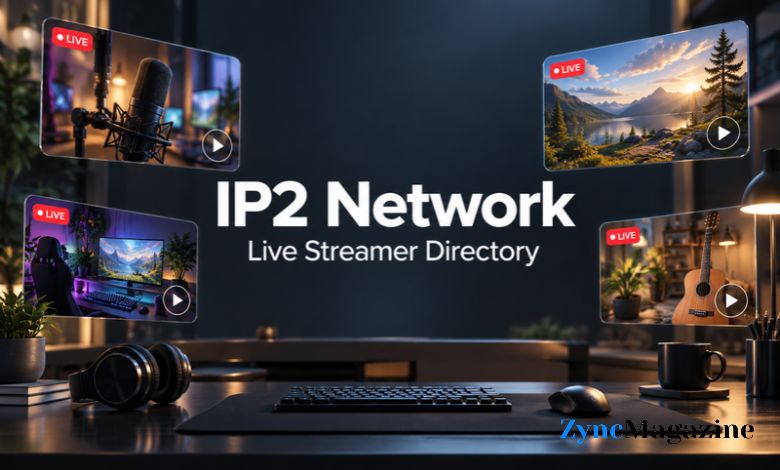
Following live creators becomes harder when their channels are spread across several websites. You might remember a streamer’s name but forget where they broadcast, or open several tabs before finding someone who is online. A directory can offer a useful starting point for that search.
IP2 Network presents itself as a live-streamer directory, with channel listings from services including YouTube, Twitch, Kick, Rumble and DLive. Its purpose is to bring those listings into one place. For readers discovering the name, the most useful starting point is understanding what a streaming directory does and how it fits into the viewing experience.
What Is IP2 Network?
Think of a streaming directory as a guide to channels. A viewer visits it to find a broadcaster, check a listing or choose something to watch. The directory provides a route to content, while the creator’s chosen streaming service remains part of the experience.
This distinction helps explain the value of a site like IP2 Network. Someone who follows creators across several services may prefer a shared starting point over a separate search on each platform. However, a directory should never be assumed to include every creator. Its usefulness depends on whether its selection matches the channels you actually want to follow.
Why Viewers Use Streaming Directories
A familiar viewing routine often starts with a simple question: who is live? Searching for the answer across several apps can interrupt the experience before a broadcast even begins. A directory can reduce that effort by helping viewers decide where to go next.
There is also a discovery benefit. While looking for one person, you may notice another channel that interests you. That does not make every recommendation a good fit, but it gives you another way to explore. The best approach is to treat a listing as an invitation to look closer, then judge the actual broadcast for yourself.
Viewing Controls on IP2 Network
The site’s interface includes online and offline sections, alongside stream-preview options. Visible controls include previewing on hover, starting muted and autoplay. These options give viewers some control over how previews begin while they browse. The interface also provides login and registration forms.
Your preferred settings will depend on how you watch. Muted previews may suit a shared room, while manual playback can make browsing feel calmer. If you use a connection with limited data, pay attention to whether video starts automatically. A brief check of the available controls can make the page more comfortable to use.
The Directory and the Streaming Platform
A video appearing inside another website does not necessarily mean that website hosts the original broadcast. Streaming services can allow their players to appear on external pages through embedded video. Twitch, for example, documents ways to embed its video player, chat or a combined experience.
This matters when you want to do more than watch. Following a channel, joining a conversation or managing a subscription may involve the service carrying the broadcast. Before entering account details, check which website or login window you are using. Keeping track of that boundary makes it easier to understand where your actions take effect.
How to Approach a First Visit
Begin with a clear purpose. You might be looking for a particular creator, checking whether a familiar channel is active or browsing for something new. Knowing which of those applies helps you avoid clicking through listings without finding what you wanted.
When you open a channel, take a moment to check its name and destination. Similar usernames, old bookmarks and copied profile images can create confusion across the web. If you plan to follow or financially support someone, compare the channel with a profile you already trust. A directory listing alone should not be your only identity check.
What to Know About Accounts
IP2 Network’s registration form requests a username, password and password confirmation. It labels email as optional for account recovery. Its password-reset form allows users to enter a username or email address. These are the account options shown in the current interface.
Before registering anywhere, consider what you need the account for. Read the available explanation of member features and use a password you have not used elsewhere. If you expect to return regularly, think about recovery access as well. Choosing a memorable username is useful, but keeping a reliable way back into your account matters more.
Why a Stream Might Not Play
A failed preview does not immediately tell you where the problem lies. The broadcast may have ended, your connection may be interrupted, or the player may show an error that needs attention. Start with what the screen actually says instead of assuming the whole directory has stopped working.
Embedded players also have technical requirements. Twitch explains that an incorrectly configured embed can produce a playback error directing viewers to Twitch. This is an example of how a player can fail on an external page even when the viewing route involves another service.
A practical first step is to refresh once, check your connection and try the creator’s original channel where available. Avoid installing unfamiliar software simply because a pop-up claims it will repair playback.
Is IP2 Network the Same as I2P?
IP2 Network and I2P are separate services. I2P stands for the Invisible Internet Project. Its official website describes a privacy-focused network that routes information through encrypted layers across participating nodes. That purpose differs from finding live-streaming channels.
The similar spelling makes the names easy to confuse. If you are searching for broadcasters, channel listings are the relevant context. If you are researching private communication through I2P, use documentation carrying that exact name. Checking the spelling early prevents you from following instructions intended for an entirely different tool.
Choosing Whether It Fits Your Viewing Habits
A directory is most useful when it solves a recurring problem. If you regularly forget where creators broadcast, a shared starting page may help. If you watch only one channel and already have a dependable bookmark, another browsing step may add little.
Judge the experience through ordinary use. Can you find the channels you want? Are the controls comfortable? Does opening a listing lead you where you expect? Those questions are more useful than broad claims about popularity or performance. A viewing tool earns its place when it makes your own routine easier.
Conclusion
IP2 Network is best approached as a place to look for live-streaming channels across different services. Understanding the difference between a directory, an embedded player and the original channel helps you navigate the experience with clearer expectations.
Start with the creators you want to find, adjust viewing controls to suit your device and check where account actions take place. With those basics understood, you can decide whether the directory deserves a regular place in your viewing routine.
(FAQs)
What is IP2 Network used for?
It is a live-streamer directory used to discover channel listings across several streaming services. It offers a central starting point for viewers looking for broadcasts.
Does IP2 Network replace YouTube or Twitch?
A directory serves a different purpose. It helps people find channels, while streaming platforms provide their own broadcasting and account features.
Does IP2 Network offer preview settings?
Its interface shows controls for previews on hover, muted starts and autoplay. Viewers can check those settings before browsing.
Is IP2 Network a privacy network?
The streaming directory should not be confused with I2P, the Invisible Internet Project, which is designed for private communication.
What should I do if a video will not load?
Read any error message, refresh the page once and check your connection. Where possible, try the creator’s original channel to help identify where playback is failing.