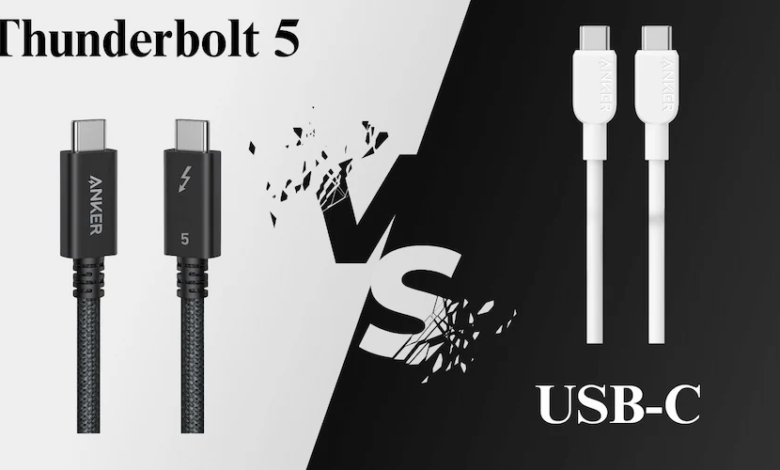
Modern computers and electronic devices need fast and reliable connections for transferring files, connecting displays, and charging equipment. As technology advances, connection standards are becoming more powerful and versatile. One important development is Thunderbolt 5, which offers faster data transfer, improved display support, and higher power delivery through a single USB-C connection.
Whether you are a professional video editor, PC gamer, or someone who regularly connects multiple devices to a laptop, understanding Thunderbolt 5 can help you make better decisions when choosing cables, docking stations, and computer accessories.
In this guide, we will explore how Thunderbolt 5 works, its main features, how it compares to USB-C, and what you should consider before purchasing compatible accessories.
What Is Thunderbolt 5?
Thunderbolt 5 is a high-performance connectivity technology developed by Intel. It uses the familiar USB-C connector but provides advanced capabilities for data transfer, video output, and power delivery.
It was introduced in September 2023 and designed to meet the increasing demands of modern computers, gaming systems, and professional workstations.
Thunderbolt 5 offers several important improvements over previous generations, including:
- Up to 80 Gbps of bidirectional bandwidth.
- Bandwidth Boost of up to 120 Gbps for display-intensive workloads.
- Support for multiple high-resolution displays.
- Power delivery of up to 240W with compatible devices.
- Improved performance for external storage and graphics equipment.
- Compatibility with previous Thunderbolt generations and supported USB devices.
These features make Thunderbolt 5 useful for people who need high-speed connections without using multiple separate cables.
How Does Thunderbolt 5 Work?
Thunderbolt 5 combines different communication technologies to transfer data, video, and power through a single connection.
It is built on USB4 Version 2.0 and supports technologies such as DisplayPort 2.1 and PCI Express Gen 4.
When you connect a compatible laptop to a Thunderbolt 5 docking station, the connection can handle several tasks simultaneously.
For example, one cable can:
- Transfer files between your laptop and external storage.
- Connect one or more external monitors.
- Supply power to charge your laptop.
- Connect accessories such as keyboards, mice, and networking equipment.
This reduces cable clutter and makes desktop workstations easier to organize.
Thunderbolt 5 also uses intelligent bandwidth management to distribute available capacity according to the connected devices and their requirements.
Key Features of Thunderbolt 5
Thunderbolt 5 introduces several improvements that make it suitable for demanding professional and personal applications.
1. Faster Data Transfer Speeds
One of the biggest advantages of Thunderbolt 5 is its increased bandwidth.
It supports up to 80 Gbps of bidirectional bandwidth, meaning data can travel in both directions at high speeds.
For display-intensive applications, Bandwidth Boost can allocate up to 120 Gbps in one direction while maintaining 40 Gbps in the other.
This is particularly useful for professionals who regularly transfer large files, work with high-resolution video, or use demanding external storage devices.
For example, video editors can move large project files between computers and external SSDs more efficiently.
2. Support for Multiple High-Resolution Displays
Thunderbolt 5 provides improved display capabilities for users who work with multiple monitors.
With compatible computers, monitors, and accessories, it supports configurations such as:
- Two 8K displays at 60Hz.
- Three 4K displays at 144Hz in supported configurations.
- Multiple high-resolution displays for professional workstations.
These capabilities are useful for graphic designers, video editors, developers, and gamers who need more screen space.
However, the actual display configuration depends on the computer’s graphics hardware, monitor specifications, and supported display modes.
3. Improved Power Delivery
Thunderbolt 5 supports USB Power Delivery 3.1 and can provide up to 240W of power with compatible equipment.
This is an important improvement for users who work with powerful laptops and workstations.
Instead of connecting a separate charging cable, users can potentially charge their laptops through a compatible docking station or monitor.
However, the actual charging power depends on the computer, charger, dock, and cable specifications.
4. Better External Storage Performance
Thunderbolt 5 is also useful for people who depend on external storage devices.
Its higher bandwidth and improved PCI Express connectivity support faster external SSDs and other high-performance storage equipment.
This can benefit:
- Professional photographers.
- Video editors.
- Content creators.
- Software developers.
- Users working with large databases and files.
Faster external storage connections can reduce waiting times when transferring or accessing large amounts of data.
5. Backward Compatibility
Another useful feature is backward compatibility.
Thunderbolt 5 supports compatible previous-generation Thunderbolt devices, including Thunderbolt 3 and Thunderbolt 4 accessories.
It also supports USB devices through its USB-C connection.
However, when using older devices or cables, the connection operates according to the capabilities of the connected equipment rather than automatically providing Thunderbolt 5 performance.
Thunderbolt 5 vs USB-C: What Is the Difference?
Many people confuse Thunderbolt 5 with USB-C because both use the same physical connector.
However, they are not the same technology.
USB-C describes the physical connector shape, while Thunderbolt 5 is a specific connectivity standard that operates through that connector.
A regular USB-C port may support basic charging and data transfer, while a Thunderbolt 5 port provides additional performance and connectivity features.
Here are some important differences:
| Feature | Standard USB-C | Thunderbolt 5 |
| Connector | USB-C | USB-C |
| Data speed | Depends on supported USB standard | Up to 80 Gbps bidirectional |
| Bandwidth Boost | Depends on USB4 Version 2.0 support | Up to 120 Gbps |
| Power delivery | Up to 240W with supported USB PD | Up to 240W |
| Display support | Depends on port capabilities | Advanced multi-display support |
| External storage | Depends on USB version | High-performance PCIe connectivity |
| Daisy-chaining | Depends on supported technology | Supports compatible Thunderbolt device chains |
| Compatibility | Supports USB devices | Supports Thunderbolt and compatible USB devices |
The most important thing to remember is that not every USB-C port supports Thunderbolt 5 features.
If you want to use its full capabilities, your computer, cable, and connected accessories must support the appropriate Thunderbolt 5 specifications.
Thunderbolt 5 vs Thunderbolt 4
Thunderbolt 5 also offers several improvements over Thunderbolt 4.
Thunderbolt 4 provides up to 40 Gbps of bandwidth, while Thunderbolt 5 doubles this to 80 Gbps of bidirectional bandwidth.
Other improvements include higher power delivery, better external storage performance, and more advanced display support.
| Feature | Thunderbolt 4 | Thunderbolt 5 |
| Maximum bandwidth | 40 Gbps | 80 Gbps |
| Bandwidth Boost | Not available | Up to 120 Gbps |
| Maximum charging | Up to 100W required host charging | Up to 240W |
| Display support | Up to two 4K displays | Up to two 8K displays |
| PCIe bandwidth | Up to 32 Gbps | Up to 64 Gbps |
| USB compatibility | Supported | Supported |
| Previous Thunderbolt compatibility | Thunderbolt 3 | Thunderbolt 3 and 4 |
Thunderbolt 5 is particularly useful for people who need more bandwidth for demanding displays, external storage, and professional applications.
However, Thunderbolt 4 remains a capable option for everyday computing, office work, and many multi-monitor setups.
What Is a Thunderbolt 5 Cable?
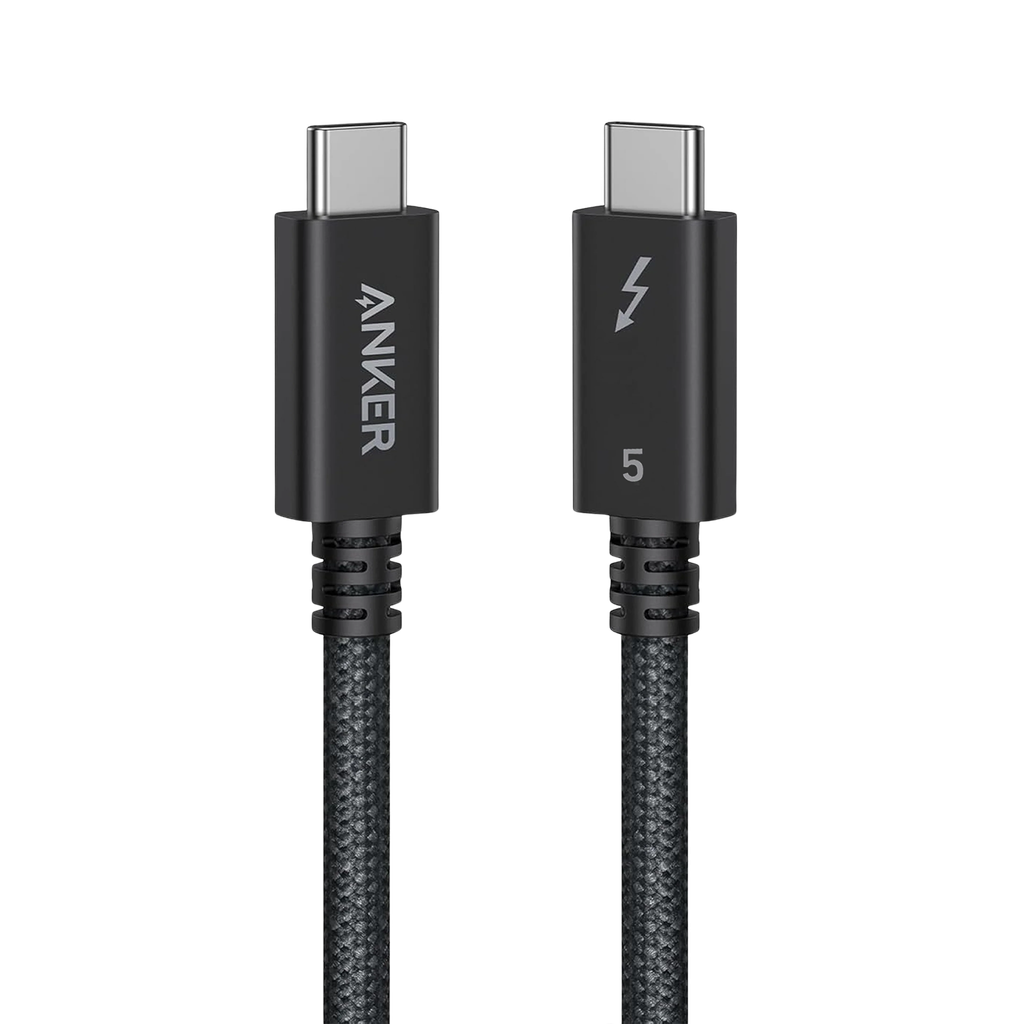
A Thunderbolt 5 cable is a certified cable designed to support the performance and features of Thunderbolt 5 technology.
Although it uses the same USB-C connector shape as many standard cables, it is built and tested to meet specific Thunderbolt performance requirements.
A suitable cable helps transfer data, transmit video signals, and deliver power between compatible devices.
When choosing a cable, consider the following features:
Data Transfer Speed: Choose a cable certified for Thunderbolt 5 to take advantage of its supported bandwidth.
Charging Support: Check the cable’s power rating if you plan to charge a laptop or another power-hungry device.
Cable Length: Consider how far apart your devices are. Make sure the selected cable supports the required performance at its length.
Build Quality: Look for durable connectors, reliable insulation, and quality construction for regular use.
Compatibility: Confirm that the cable works with your laptop, docking station, monitor, or external storage device.
Common Uses of Thunderbolt 5
Thunderbolt 5 is designed for users who need fast and flexible connectivity. Its applications extend across several industries and everyday computing activities.
1. Professional Video Editing
Video editors frequently work with large files, high-resolution footage, and multiple displays.
Thunderbolt 5 can help improve workflows by supporting high-speed external storage and advanced monitor configurations.
It is particularly useful when working with 4K and 8K video projects.
2. Gaming and High-Performance Computers
PC gamers can benefit from Thunderbolt 5 when connecting compatible external storage, docking stations, and high-resolution displays.
Its increased bandwidth can also support demanding external graphics and accessory configurations.
For users with compatible gaming laptops, a Thunderbolt 5 dock can help connect multiple peripherals through a single port.
3. Professional Workstations
Designers, engineers, developers, and other professionals often use multiple monitors and external accessories.
Thunderbolt 5 can simplify workstation connections by supporting displays, storage devices, networking accessories, and charging through one connection.
4. External SSDs and Storage Devices
External SSDs are commonly used for backups, video editing, and transferring large files.
Thunderbolt 5 offers the bandwidth needed by high-performance external storage equipment, making it useful for professionals who frequently move large amounts of data.
5. Docking Stations
Thunderbolt 5 docking stations allow users to connect multiple accessories to a laptop through a single cable.
Depending on the dock, supported connections may include:
- External monitors.
- USB accessories.
- Ethernet networking.
- External SSDs.
- Audio equipment.
- Laptop charging.
This makes Thunderbolt 5 a convenient option for building organized desktop workstations.
How to Choose the Right Thunderbolt 5 Cable
Selecting the right cable is important if you want to enjoy the full benefits of Thunderbolt 5.
Here are some practical tips to consider before purchasing one.
1. Check Thunderbolt Certification
Look for a cable that is officially certified for Thunderbolt 5. This helps ensure that it meets the required performance and compatibility standards.
2. Consider Your Data Requirements
If you regularly transfer large files or work with high-performance external SSDs, choose a cable that supports the required bandwidth.
3. Check Power Requirements
If you want to charge a laptop through the cable, make sure it supports the required USB Power Delivery rating.
4. Choose an Appropriate Length
Cable length can affect supported performance. Select a suitable length for your desk or workstation and check the manufacturer’s specifications.
5. Verify Device Compatibility
Your laptop or computer must have a Thunderbolt 5 port to benefit from its full capabilities. Using a Thunderbolt 5 cable with a standard USB-C port does not automatically upgrade that port’s performance.
Is Thunderbolt 5 Worth It?
Thunderbolt 5 can be a valuable upgrade for users who need faster connections and more advanced display capabilities.
It is particularly useful for:
- Professional video editors.
- Graphic designers.
- Content creators.
- PC gamers.
- Developers.
- Users working with multiple high-resolution monitors.
For everyday users who mainly browse the internet, watch videos, and connect basic accessories, a regular USB-C connection may already provide everything they need.
Before upgrading, consider your computer’s compatibility and whether your current workflow actually requires the additional bandwidth.
Conclusion
Thunderbolt 5 represents an important development in modern computer connectivity. With up to 80 Gbps of bidirectional bandwidth, 120 Gbps Bandwidth Boost, advanced display support, and power delivery of up to 240W, it offers useful improvements for demanding computing environments.
Its USB-C connector also makes it convenient to connect compatible monitors, docking stations, storage devices, and other accessories.
However, Thunderbolt 5 and standard USB-C are not interchangeable in terms of features. Understanding their differences can help you select the right computer, docking station, and cable for your requirements.
Whether you are building a professional workstation or upgrading your laptop accessories, choosing compatible Thunderbolt 5 equipment can provide a faster and more flexible connection experience.
Frequently Asked Questions
1. What is Thunderbolt 5 used for?
Thunderbolt 5 is used for high-speed data transfer, connecting multiple displays, external storage, docking stations, and charging compatible laptops and other devices.
2. Is Thunderbolt 5 the same as USB-C?
No. USB-C is a physical connector, while Thunderbolt 5 is a connectivity standard that uses the USB-C connector. Thunderbolt 5 provides specific high-performance features that ordinary USB-C ports may not support.
3. How fast is Thunderbolt 5?
Thunderbolt 5 supports up to 80 Gbps of bidirectional bandwidth. Its Bandwidth Boost feature can provide up to 120 Gbps in one direction for display-intensive applications.
4. Can Thunderbolt 5 charge a laptop?
Yes. Thunderbolt 5 supports power delivery of up to 240W when used with compatible computers, cables, and charging equipment.
5. Is Thunderbolt 5 backward compatible?
Yes. Thunderbolt 5 supports compatible Thunderbolt 3 and Thunderbolt 4 devices, as well as supported USB accessories. Performance depends on the specifications of the connected devices.
6. Do I need a special cable for Thunderbolt 5?
Yes. To access the full capabilities of Thunderbolt 5, you should use a certified Thunderbolt 5 cable. A standard USB-C cable may not support the same data speeds or features.
7. Can Thunderbolt 5 support multiple monitors?
Yes. Thunderbolt 5 supports advanced multi-display configurations, including up to two 8K displays at 60Hz in compatible setups. Actual performance depends on the computer, graphics hardware, and connected monitors.
8. Is Thunderbolt 5 better than Thunderbolt 4?
Thunderbolt 5 offers higher bandwidth, improved display capabilities, and greater power delivery potential. It is a better option for demanding workloads, while Thunderbolt 4 remains suitable for many everyday computing needs.