You run your Leash program, move the mouse, and the ball follows it. So far, so good. But the line stays behind. Or perhaps the line moves, but it no longer starts in the middle of the canvas. These are common problems with 9.7.4 Leash CodeHS, and both come from the same small detail: a line has two ends, and only one of them should follow the mouse.
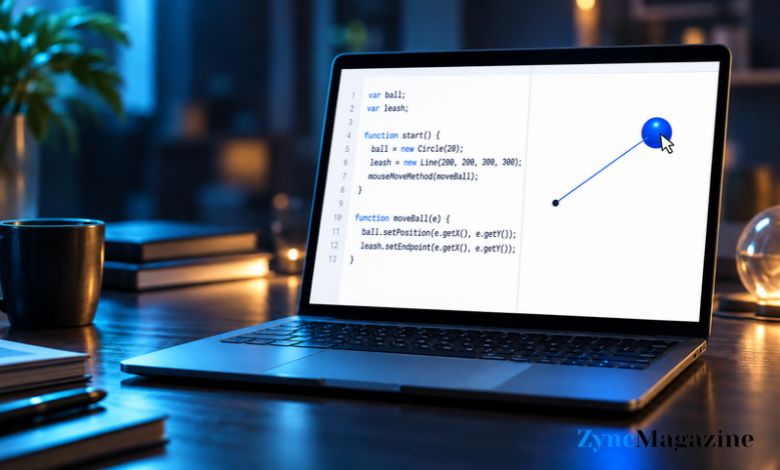
The finished program looks like a ball on a leash. The ball travels wherever you point. One end of the line stays fixed at the centre of the canvas, while the other end meets the ball. As you move farther away, the line stretches. Move back toward the centre, and it shortens.
If you’re looking for 9.7.4 leash codehs answers, you need a circle, a line, and a mouse movement function that updates them together. Here is how to put those pieces in place.
The Code You Need
This example starts the ball in the centre of the canvas. You can change the colour or size if your exercise gives you specific values to use.
var ball;
var leash;

function start() {
    var centerX = getWidth() / 2;
    var centerY = getHeight() / 2;

    leash = new Line(centerX, centerY, centerX, centerY);
    leash.setColor(Color.black);
    leash.setLineWidth(2);
    add(leash);

    ball = new Circle(15);
    ball.setPosition(centerX, centerY);
    ball.setColor(Color.blue);
    add(ball);

    mouseMoveMethod(moveBall);
}

function moveBall(e) {
    var x = e.getX();
    var y = e.getY();

    ball.setPosition(x, y);
    leash.setEndpoint(x, y);
}
Try running it before reading on. Move the pointer toward a corner, then bring it back to the middle. You should see the ball follow your pointer and the line remain attached. Seeing that happen makes the code much easier to understand.
Start With the Point That Never Moves
A leash needs somewhere to be tied. In this program, that place is the centre of the canvas. The code finds it by dividing the canvas width and height by two. Those results are saved as centerX and centerY.
The line is created with four coordinates: where it starts and where it ends. At first, both ends are placed at the centre. That is why you may not see the line as soon as the program opens. It has no length yet. Once you move the mouse, its endpoint moves away and the line appears.
The ball also starts at the centre. This gives the picture a clear starting position. More importantly, the line’s starting point stays there throughout the program. You never need to update it when the mouse moves. If you do, the leash will lose the fixed point that gives the exercise its effect.
Make the Ball and Leash Follow Together
The most important line in start() is mouseMoveMethod(moveBall);. It tells CodeHS to run the moveBall function whenever the mouse moves over the canvas. The name moveBall appears without parentheses because you are telling the program which function to use when that movement happens.
When the function runs, e.getX() and e.getY() give you the mouse’s current position. The code saves those numbers as x and y. It then uses them twice.
First, ball.setPosition(x, y); moves the centre of the ball to the mouse. Then, leash.setEndpoint(x, y); moves the loose end of the line to the same spot. The ball and line stay together because both commands use the same coordinates. There is no need to work out the distance from the centre or draw a replacement line each time.
That is the part worth remembering after you finish this exercise. The ball and leash are separate shapes, but one mouse position controls them both.
Read Also: Oksana Bajuł: The Young Skater Who Won Olympic Gold for Ukraine
Why the Variables Sit Above start()
You may wonder why the example begins with var ball; and var leash; before either function. It is because the program creates the shapes in start(), then moves them later in moveBall(). Both functions need to refer to the same circle and line.
If you put var ball and var leash only inside start(), the other function may not be able to use them. When the mouse moves, the program could report that one of the variables is undefined.
The shapes themselves are still created just once. start() makes them and adds them to the canvas. From then on, moveBall() changes their positions. This also prevents another familiar mistake: leaving a trail of circles and lines behind the pointer. If your screen fills with shapes, check whether you placed new Circle() or new Line() inside the mouse function.
When Your Program Looks Wrong
Suppose the ball follows the mouse, but the line stays in the middle. You’ve already shown that the mouse event works. The likely problem is the line update. Check that leash.setEndpoint(x, y); is inside moveBall() and uses the same x and y as the ball.
If nothing moves, start with mouseMoveMethod(moveBall);. Make sure the function below is spelled exactly moveBall. Also check that it accepts e and reads the position with e.getX() and e.getY(). A small spelling mistake can stop the entire movement.
A line that floats around with the ball points to a different error. You may be changing the line’s starting point when you meant to change its endpoint. Leave the centre alone and move only the end attached to the ball.
Finally, do not mistake an invisible line at the start for a broken program. In this example, both ends begin at the same point. Move the mouse away from the centre before deciding that the line is missing.
Test It Like a User Would
Once the code runs, move the pointer slowly around the canvas rather than checking only one position. Take the ball to the left and right edges. Move it high above the centre, then below it. The line should turn with the ball while its first end stays put.
Now bring the pointer close to the centre. The line should get shorter. This is a quick way to tell whether you are updating the endpoint correctly. If the ball moves smoothly and the line follows without leaving old shapes behind, the main behaviour is working.
Your starter code may ask for a particular ball radius, line width, or colour. Check those details separately. They affect how the program looks, but the mouse movement still depends on the same two position updates.
Conclusion
In 9.7.4 Leash CodeHS, the fixed point is the centre of the canvas, and the moving point is your mouse. Put the ball at the mouse position, put the line’s endpoint there too, and leave its starting point alone. Once those three parts are right, the leash follows naturally wherever the ball goes.
(FAQs)
What is the main answer to 9.7.4 Leash CodeHS?
Create a ball and a line in start(). Then use mouseMoveMethod() to call a function that moves the ball and the line’s endpoint to the mouse position.
Why does my ball move while the line stays still?
You may have used ball.setPosition() but left out leash.setEndpoint(). Both commands need to run whenever the mouse moves.
Why is the leash invisible at the beginning?
The example places both ends of the line at the canvas centre. The line becomes visible when you move the mouse and its endpoint moves away.
Do I need to make a new line each time the mouse moves?
No. Create one line when the program starts. Use setEndpoint() to change that same line as the ball moves.
Why do ball and leash appear outside the functions?
They need to be used by both start() and moveBall(). Declaring them above the functions makes that possible.